ViewMate Professional
Advanced Gerber Editing Tool for Automated PCB CAM Processing
- Automate Everyday CAM Tasks
- PCB Panelization & Stencil Design
- Netlist Extraction & Verification
- Gerber-to-DXF Conversion

The power of CAMMaster, our premier CAM software, once
reserved for PCB fabricators and EMS providers, is now
available to all designers through ViewMate Professional.

Gerber Editor
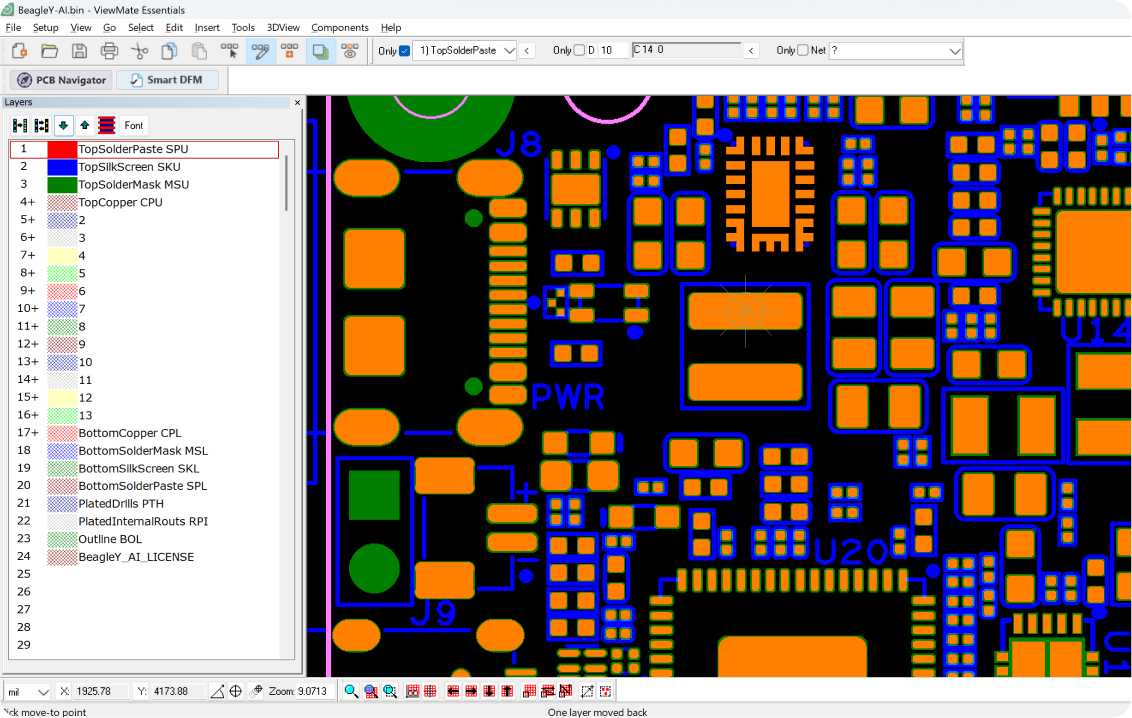
ViewMate Professional includes our standard Gerber and drill file editor.
A specialized software tool for viewing, analyzing, and editing Gerber and drill data, enabling detailed editing of PCB layer features such as copper traces, solder mask openings, silkscreen markings, and drill parameters.

PCB Navigator
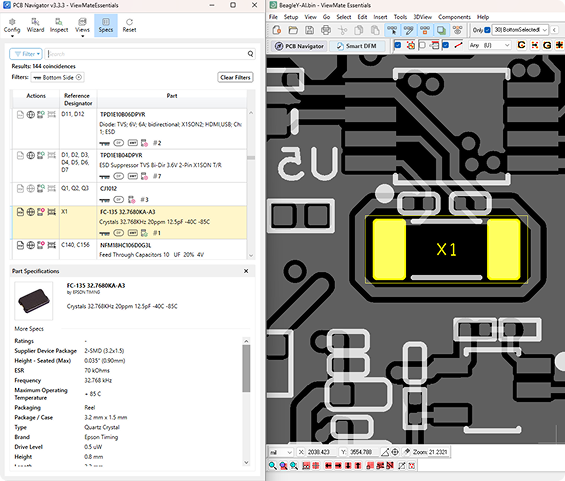
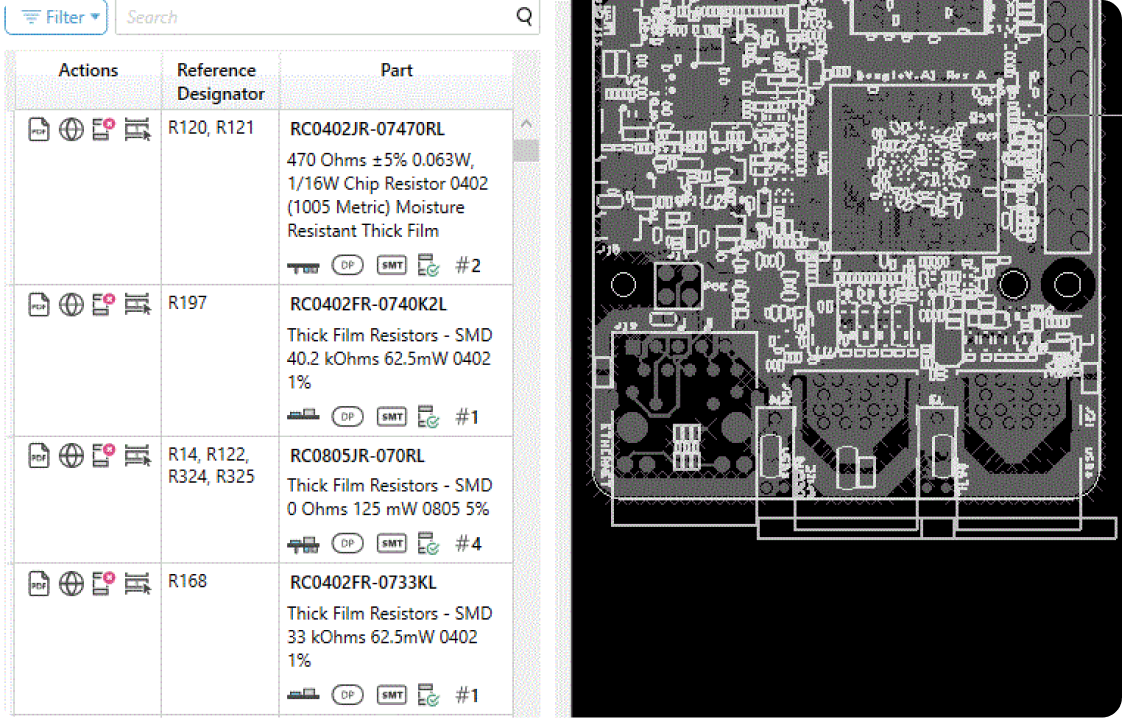
A software tool used to visually search and inspect components using only fabrication files.
Essentially, it "adds intelligence" to static Gerber files by integrating them with Bill of Materials and XY Data, turning them into an interactive, searchable environment for inspection, troubleshooting, and documentation.
Learn More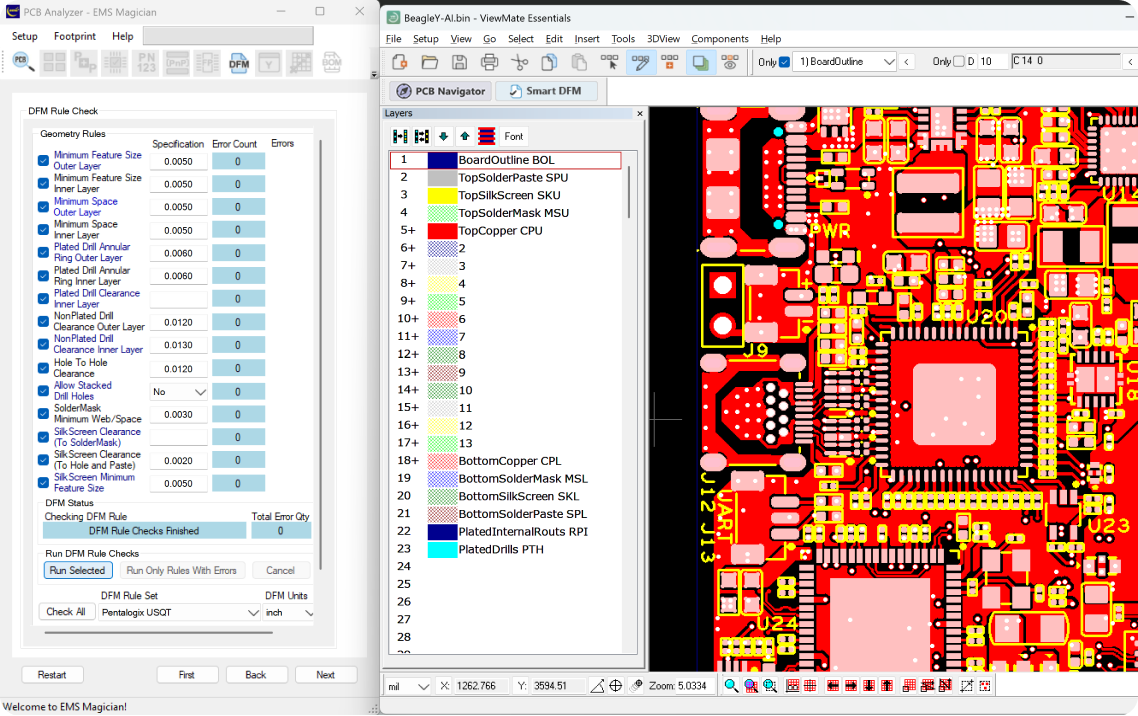

Smart DFM
Smart DFM with Custom Rule Checks
A specialized Design for Manufacturing (DFM) software tool for the PCB industry that allows designers and engineers to define and implement their own rule checks. This ensures every design is fully optimized for specific requirements and manufacturing capabilities.
Learn More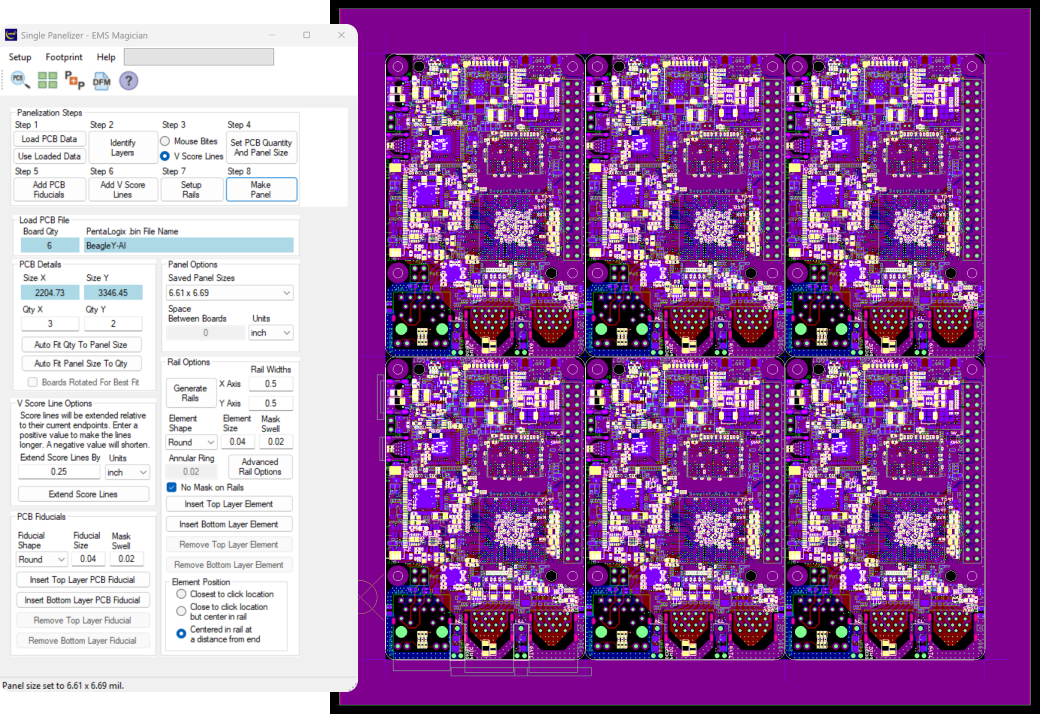

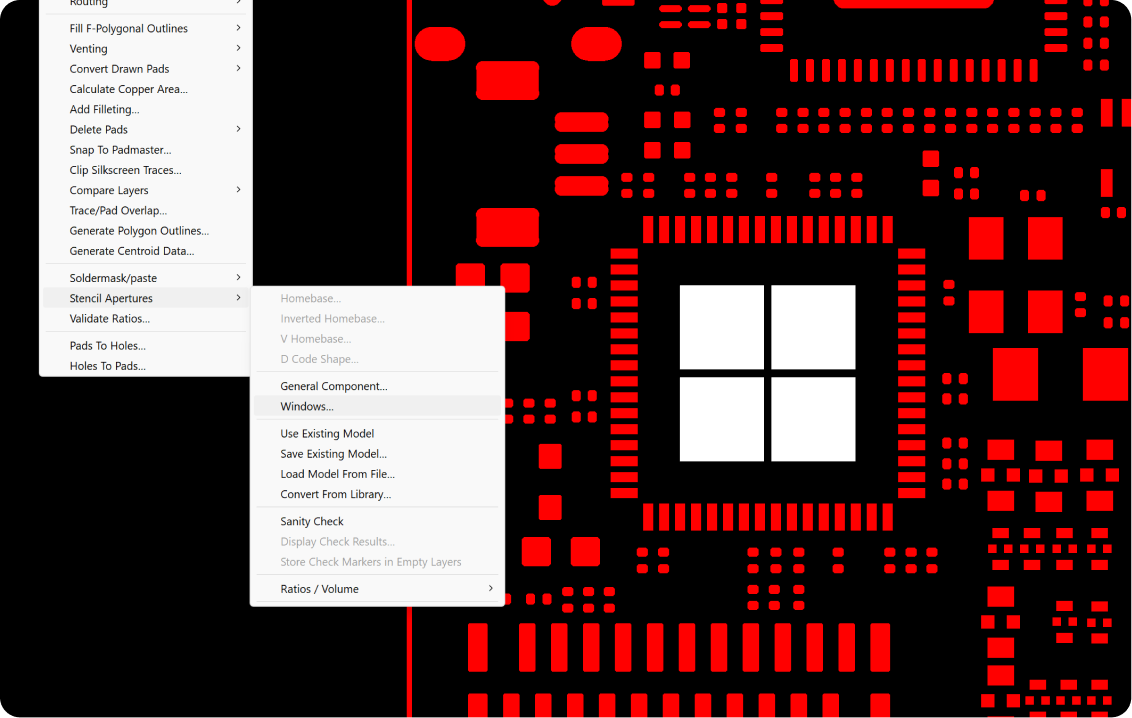
PCB Panelizer
ViewMate Professional's Single Panelizer tool makes it simple to create a complete manufacturing panel from a single PCB design. With just a few clicks, you can duplicate your board, define spacing, add fiducials, and generate a production-ready panel layout. This streamlined workflow saves time, reduces manual setup, and ensures consistent, accurate panelization for fabrication.

Stencil Designer
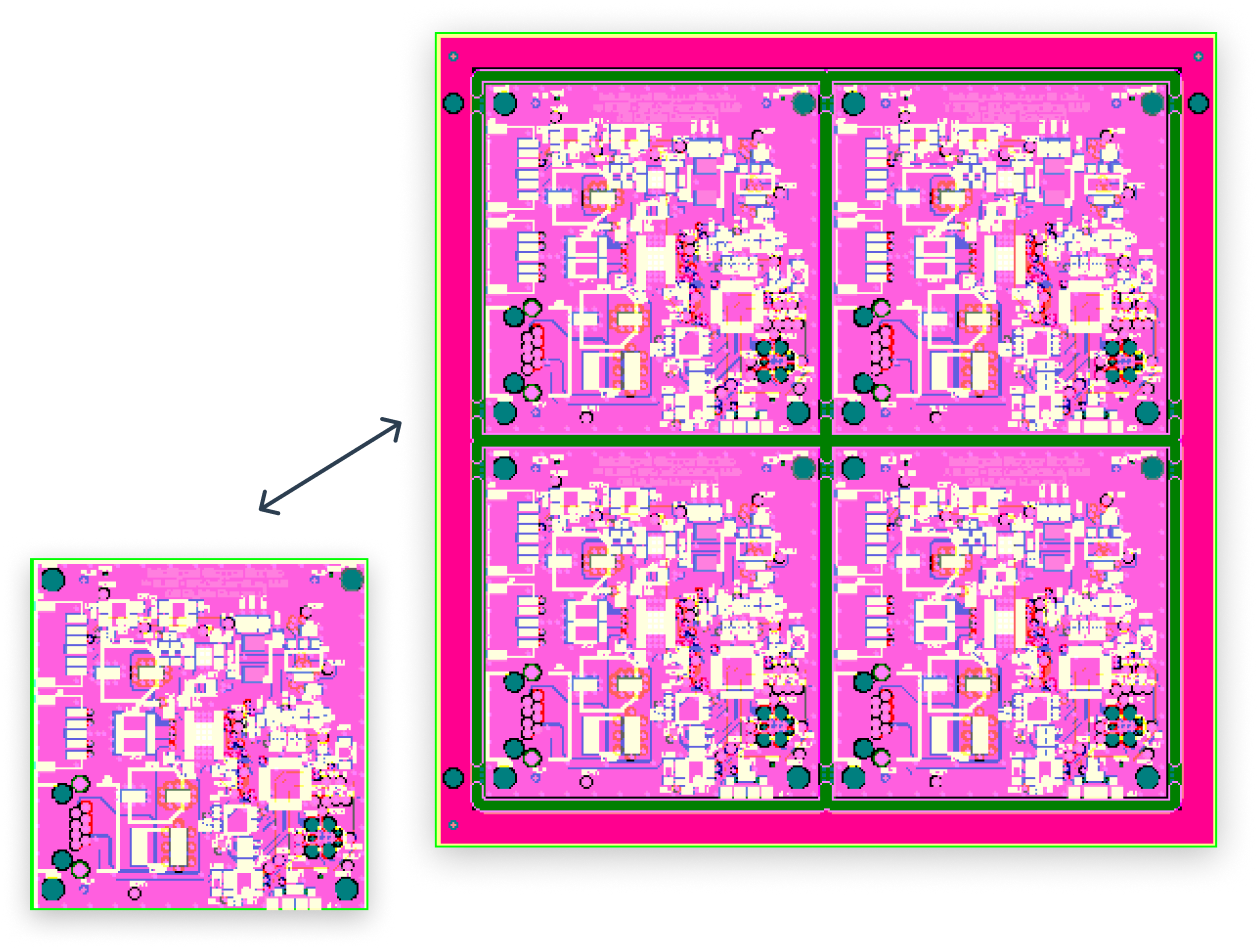
ViewMate Professional includes a powerful set of tools designed to help you create accurate, production-ready solder paste stencils directly from your PCB data.
Create window pane modifications, homebase adjustments, aperture resizing, shape editing, and more. You will have full control over how paste apertures are defined and optimized. These tools make it easy to fine-tune stencil designs for improved print quality, better solder volume control, and reliable manufacturing performance.
Use Macros and Scripting to Automate CAM Tasks
ViewMate Professional gives you powerful automation capabilities through its macro recording and scripting tools.
Record your mouse actions and commands to create repeatable macros that eliminate manual work and speed up routine CAM tasks.
For even greater control, you can open these macros in the built-in Macro Editor, modify the underlying commands, and build fully customized scripts. Whether you're standardizing workflows, processing large batches of files, or creating complex automation sequences, ViewMate Professional helps streamline your CAM operations with precision and efficiency.
ViewMate Professional is a CAM solution used by designers,
PCB fabricators, and EMS providers to prepare, validate,
and optimize PCB data before production.
Whether verifying data, editing Gerber and DXF files, creating panels, or processing complete PCB manufacturing
data sets, ViewMate Professional provides precise control and efficiency required in modern PCB manufacturing.
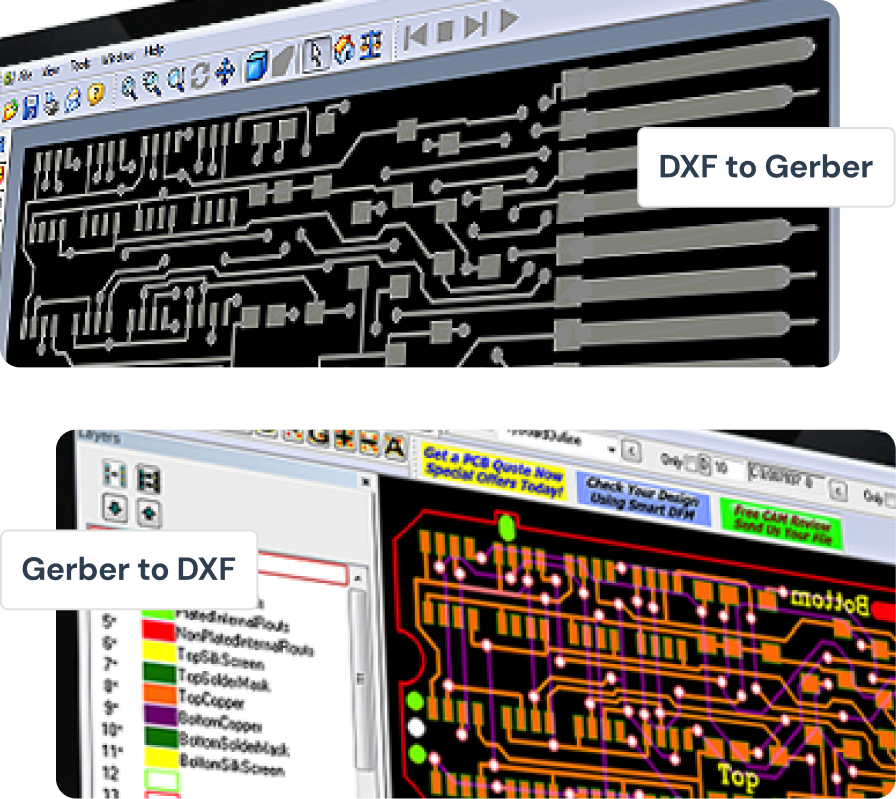
Convert between Gerber and DXF file formats with precision and control.
ViewMate Professional makes it easy to convert between Gerber and DXF file formats with precision and control.
Whether you need to import a mechanical outline from CAD into your PCB design or export copper layers for mechanical processing, the built-in converter ensures a smooth, accurate translation.
Maintain critical dimensions, layer assignments, and design intent across platforms without losing quality or detail. Ideal for engineers, fabricators, and designers who frequently move between PCB and mechanical design environments.
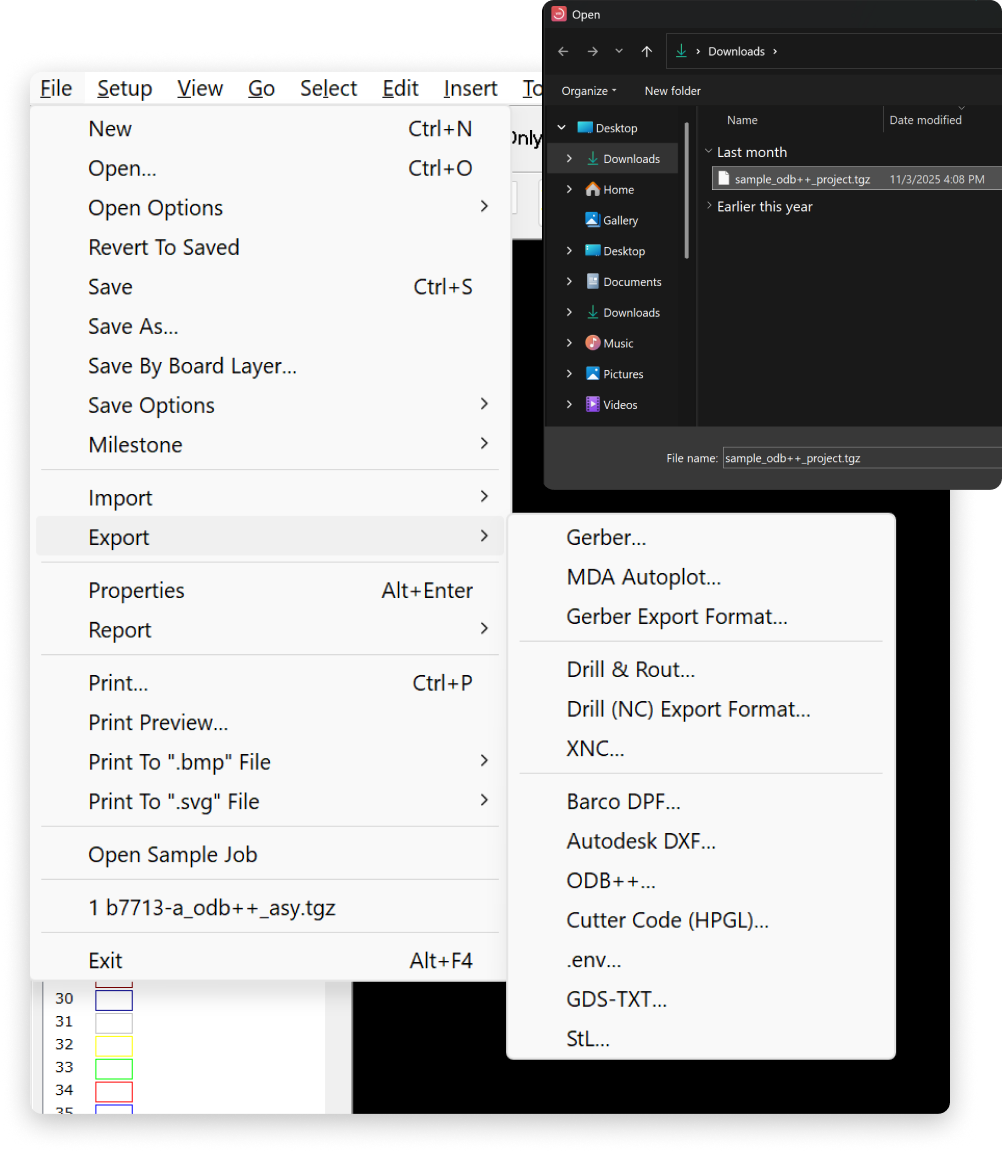
Supports seamless import and export of ODB++ files
ViewMate Professional supports seamless import and export of ODB++ files, ensuring full compatibility with modern PCB manufacturing workflows. Effortlessly exchange complete board data including layers, drill, netlist, and component information with CAM systems and fabrication partners.
Maintain data integrity across platforms while simplifying collaboration between design and production.
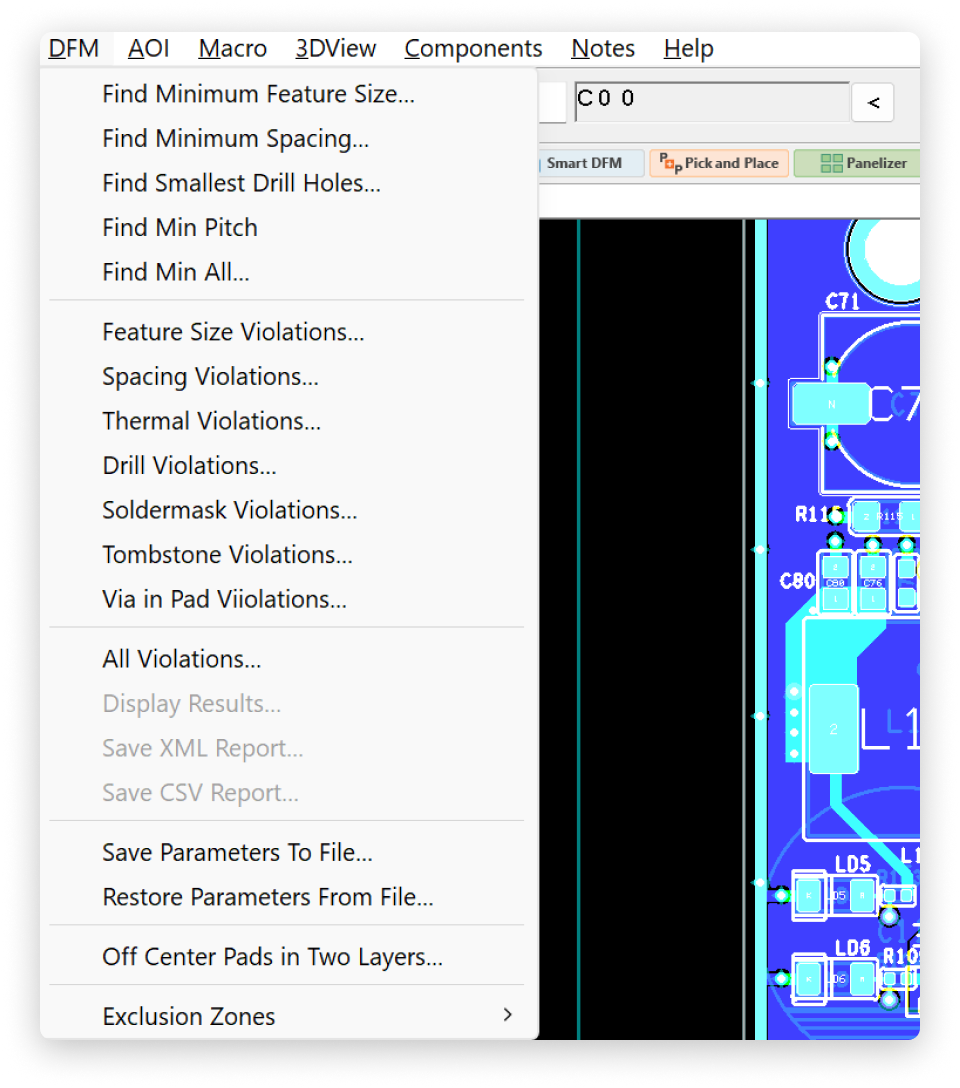
Deep control over design rules and manufacturing checks
In addition to the SmartDFM module included with ViewMate Essentials, ViewMate Professional provides advanced, individual DFM features that give you deeper control over design rules and manufacturing checks.
Customize spacing, drill, and solder mask parameters, among others, with precision to identify potential issues before fabrication. Ideal for engineers who want total visibility and control over manufacturability.
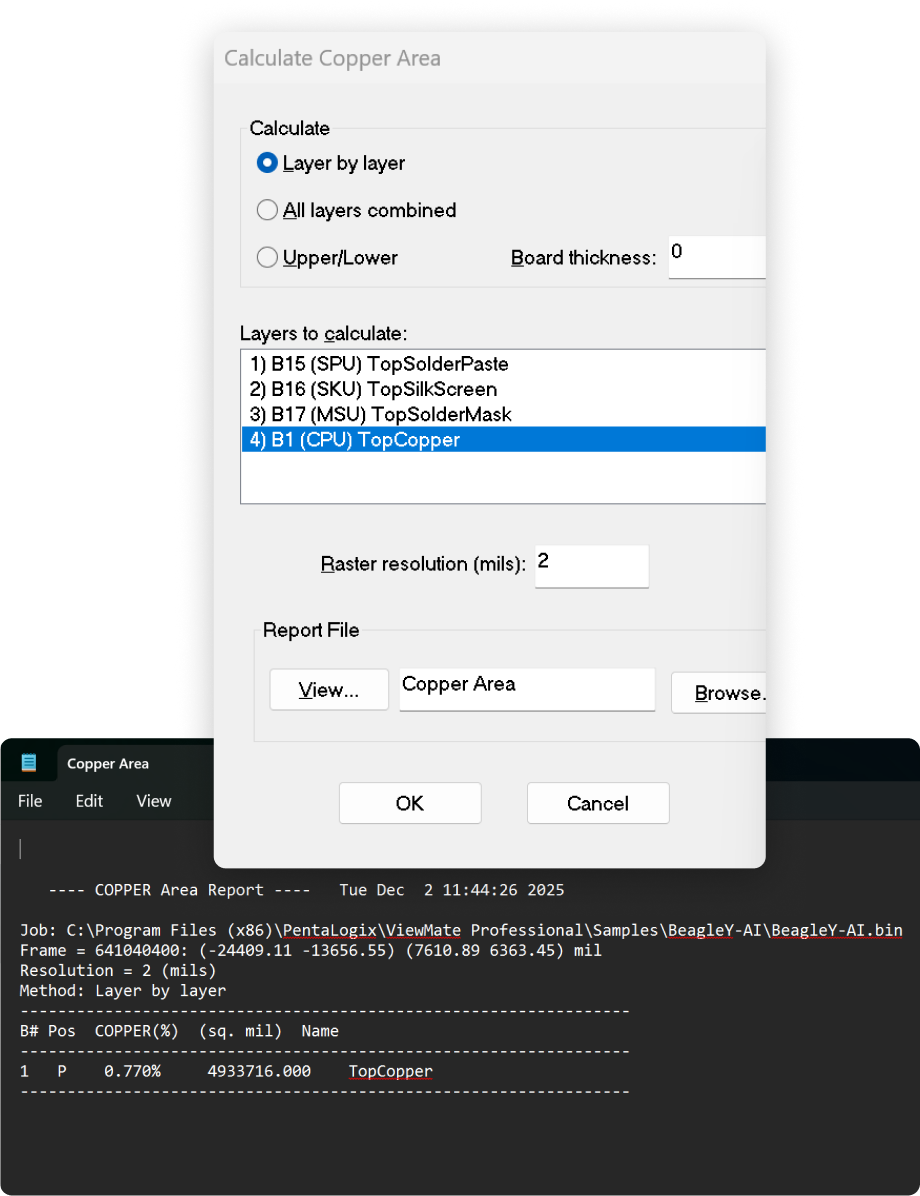
Essential for evaluating thermal balance and PCB design uniformity
Quickly analyze and calculate copper coverage across any layer with ViewMate Professional's copper area computation tool. This feature allows you to evaluate thermal balance, plating efficiency, and design uniformity, helping ensure your PCB meets both electrical and manufacturing standards.
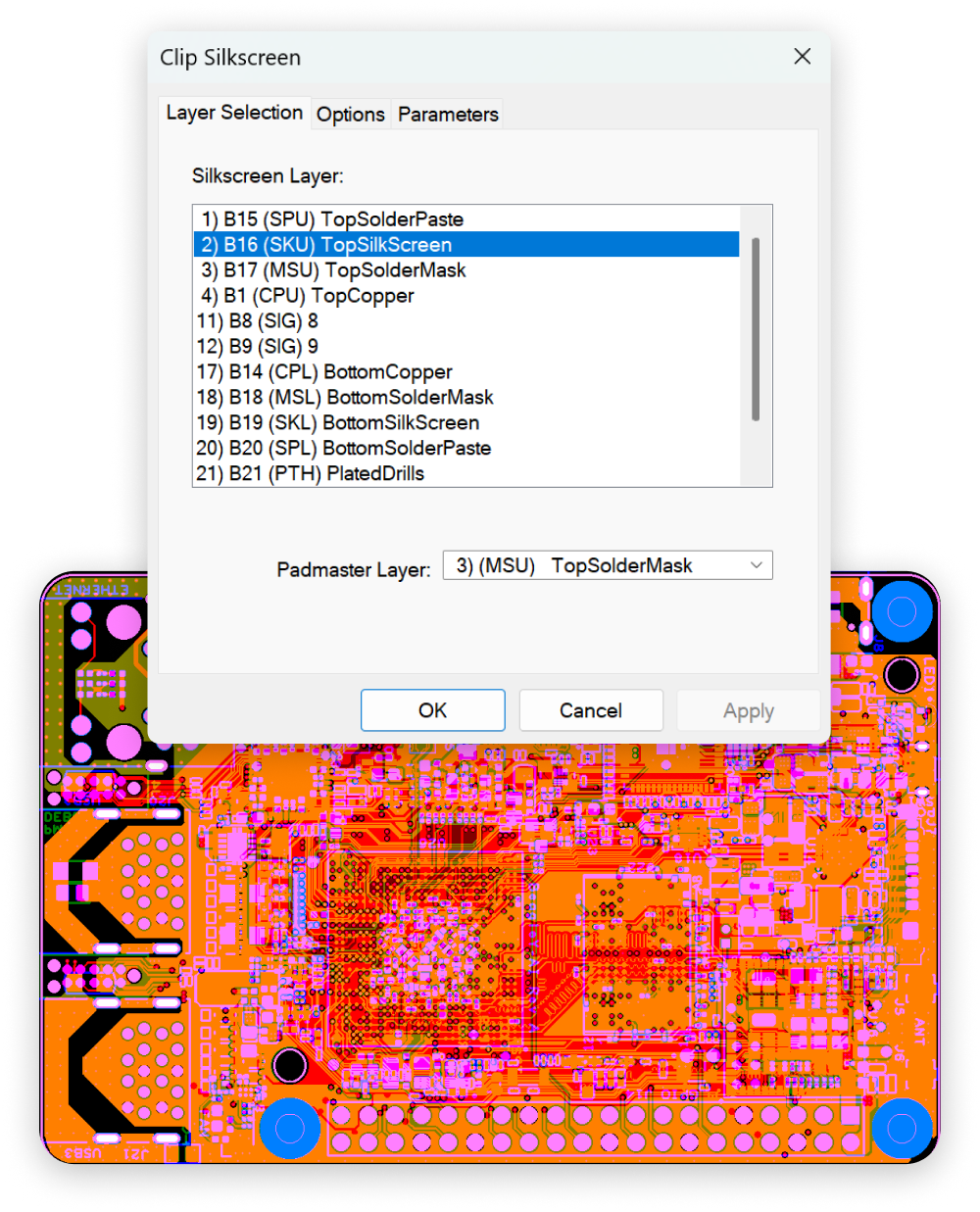
Easily clip silkscreen layers to the board outline with a single command
Easily clip silkscreen layers to the board outline with a single command. Prevent silkscreen text and markings from overlapping pads or copper areas, saving time and avoiding costly production errors during fabrication.
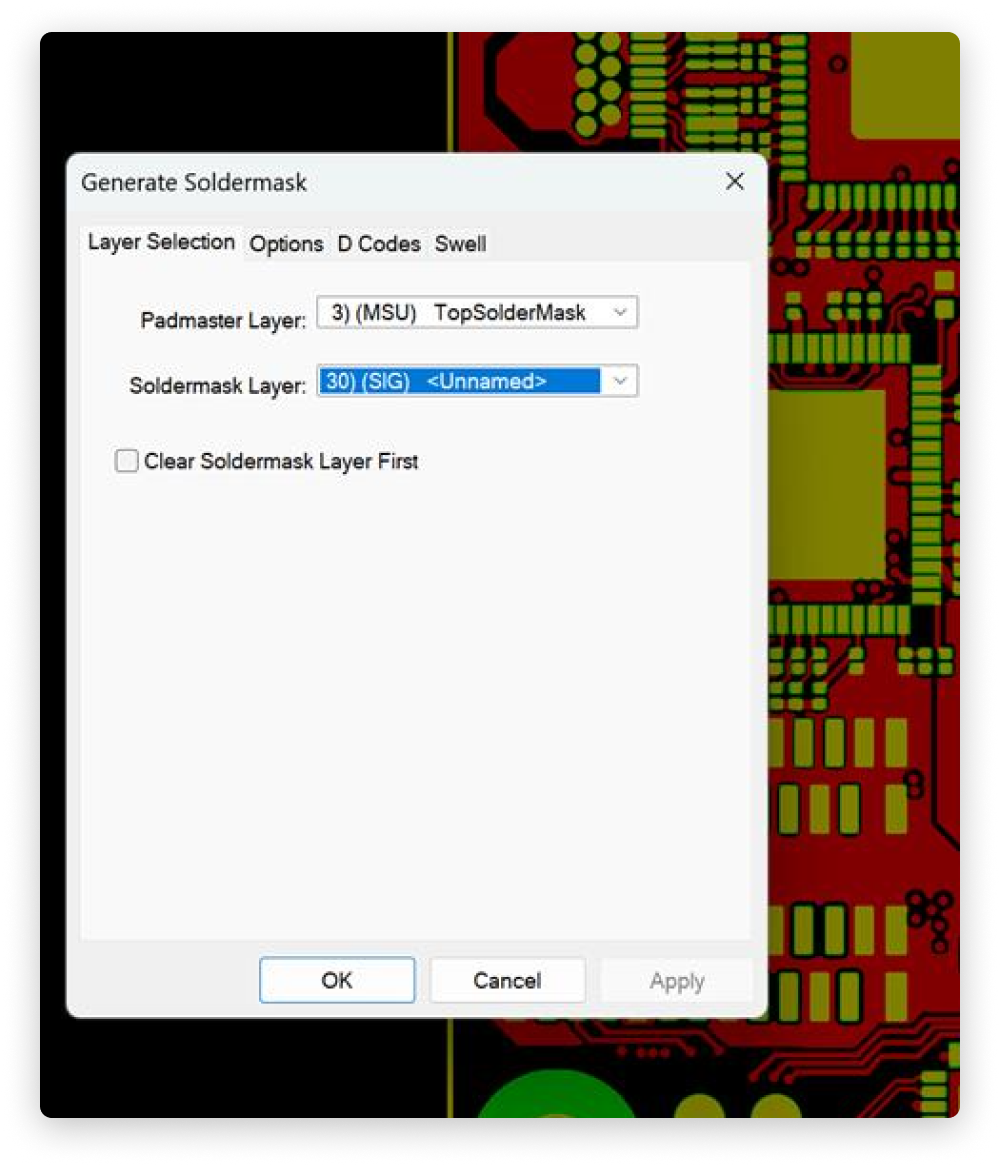
Optimize Gerber files with cleanup and reduction tools
Generate solder mask and solder paste layers automatically from existing copper or pad data. ViewMate Professional provides precise control over clearances and shapes, simplifying the process of preparing manufacturing-ready output files while maintaining alignment accuracy.
Instantly highlight and work with all electrically connected elements
ViewMate Professional's intelligent selection tools let you instantly highlight and work with all electrically connected elements. Trace entire nets, identify connectivity issues, or isolate problem areas with ease making analysis and troubleshooting faster and more efficient.
- Advanced Polygon Tools
- Automatic Layer to Layer Comparison
- Import Netlist files (IPC-356A)
- Convert Pads Layers to Drill Files and Sort Drill Data

Use Routing Tools to Convert Traces and Polygons to Cutouts
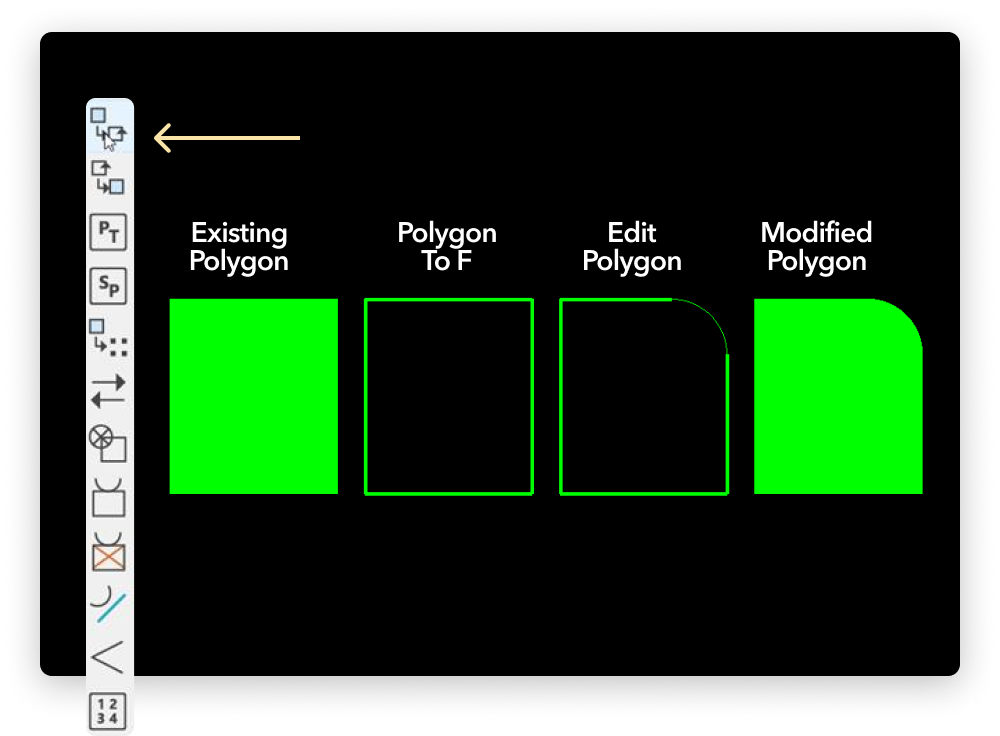
ViewMate Professional includes advanced Polygon Tools that make working with complex copper areas fast and efficient. You can simplify heavy or poorly constructed polygon data while maintaining full control over editing and reconstruction. Whether you're cleaning up copper pours, refining plane shapes, or preparing data for fabrication, these tools allow you to convert, edit, and rebuild polygons with precision and ease. You will be able to:
- Reduce complex data fills into the simplest possible set of polygons
- Dramatically reduce poorly drawn data structures
- Edit copper planes and other complex geometry, including:
- Convert data to polygons
- Convert polygons to F-Type outlines
- Edit outlines using advanced tools
- Convert modified outlines back to polygons
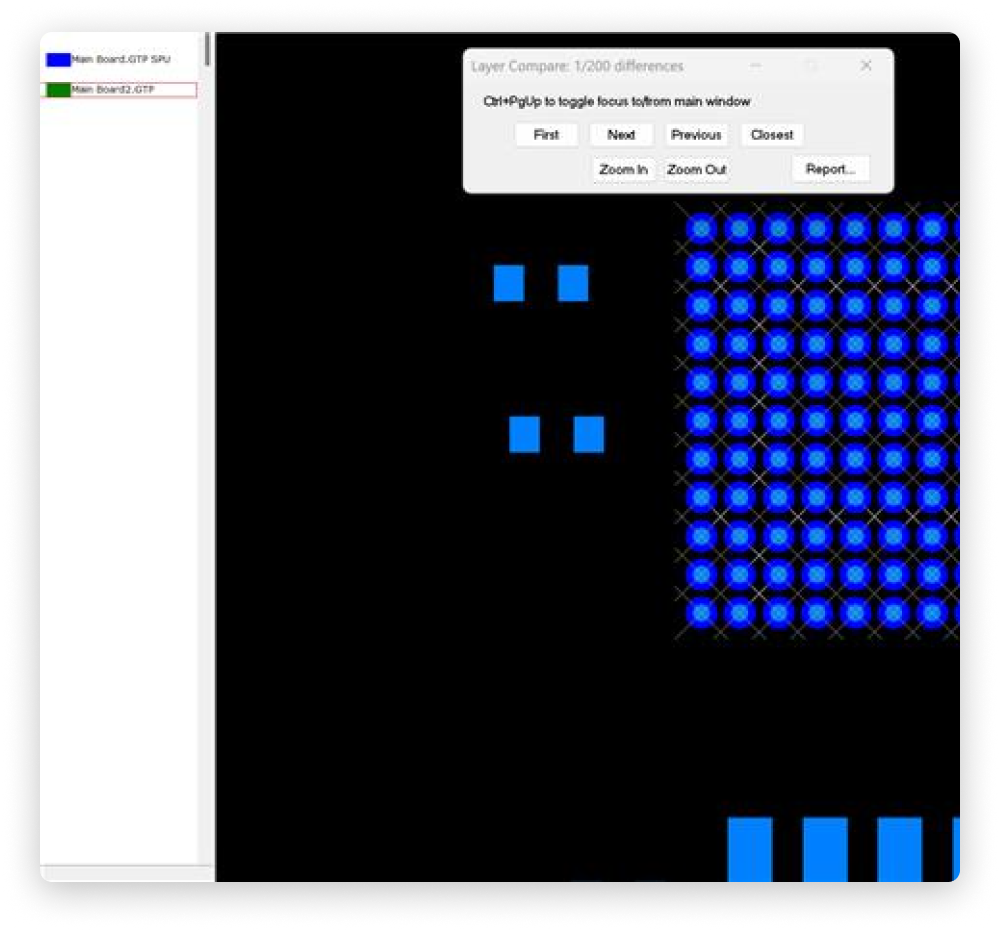
Quickly verify revisions and match files to design
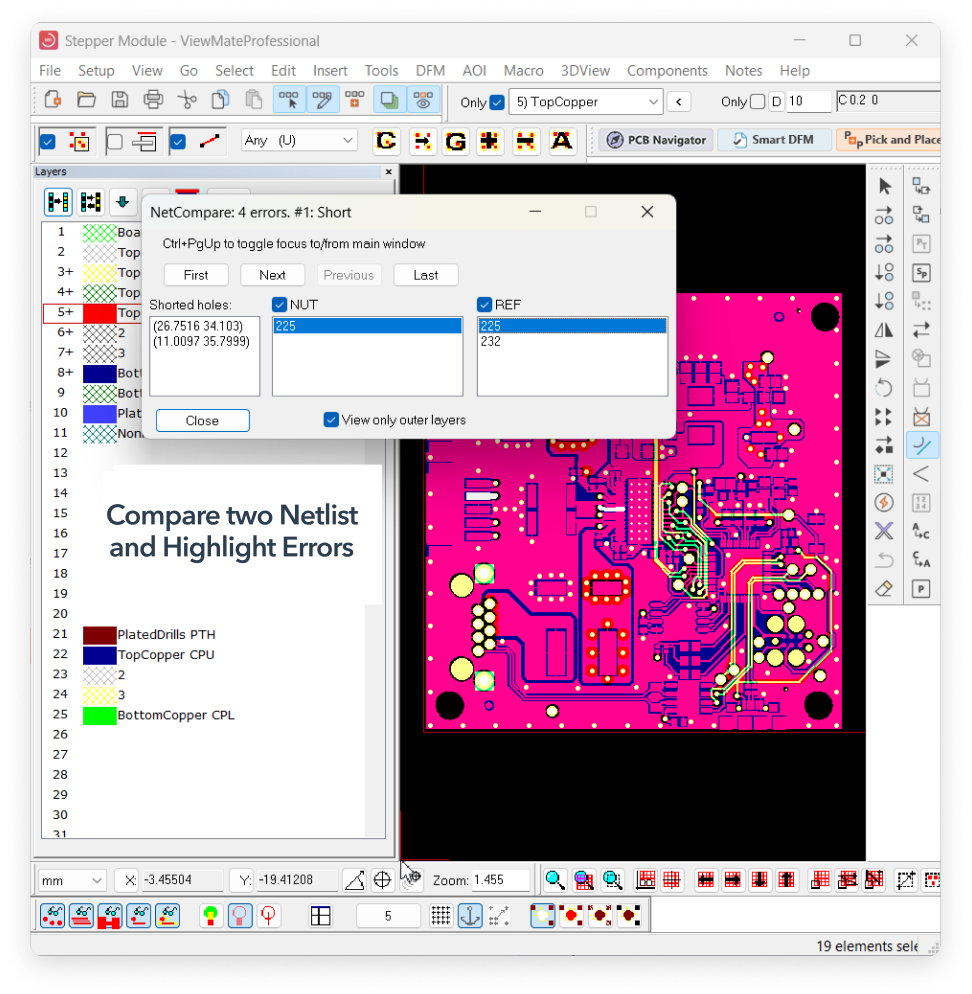
The Automatic Layer-to-Layer Comparison tool highlights every difference between the layers you select, making it easy to spot changes, mismatches, or unintended edits. The system visually marks all discrepancies, allowing you to quickly verify revisions and ensure your manufacturing files match your intended design.
Seamlessly import and integrate IPC-356A netlist files
ViewMate Professional allows you to seamlessly import IPC-356A netlist files and integrate them directly into your project. Once loaded, you can use tools like Layer Organizer or SmartDFM to identify layers and extract the netlist, which becomes fully embedded in your file.
This gives you the ability to navigate your design with complete electrical awareness verifying netlist expectations, confirming connectivity, and troubleshooting issues across multiple layers with confidence and precision.
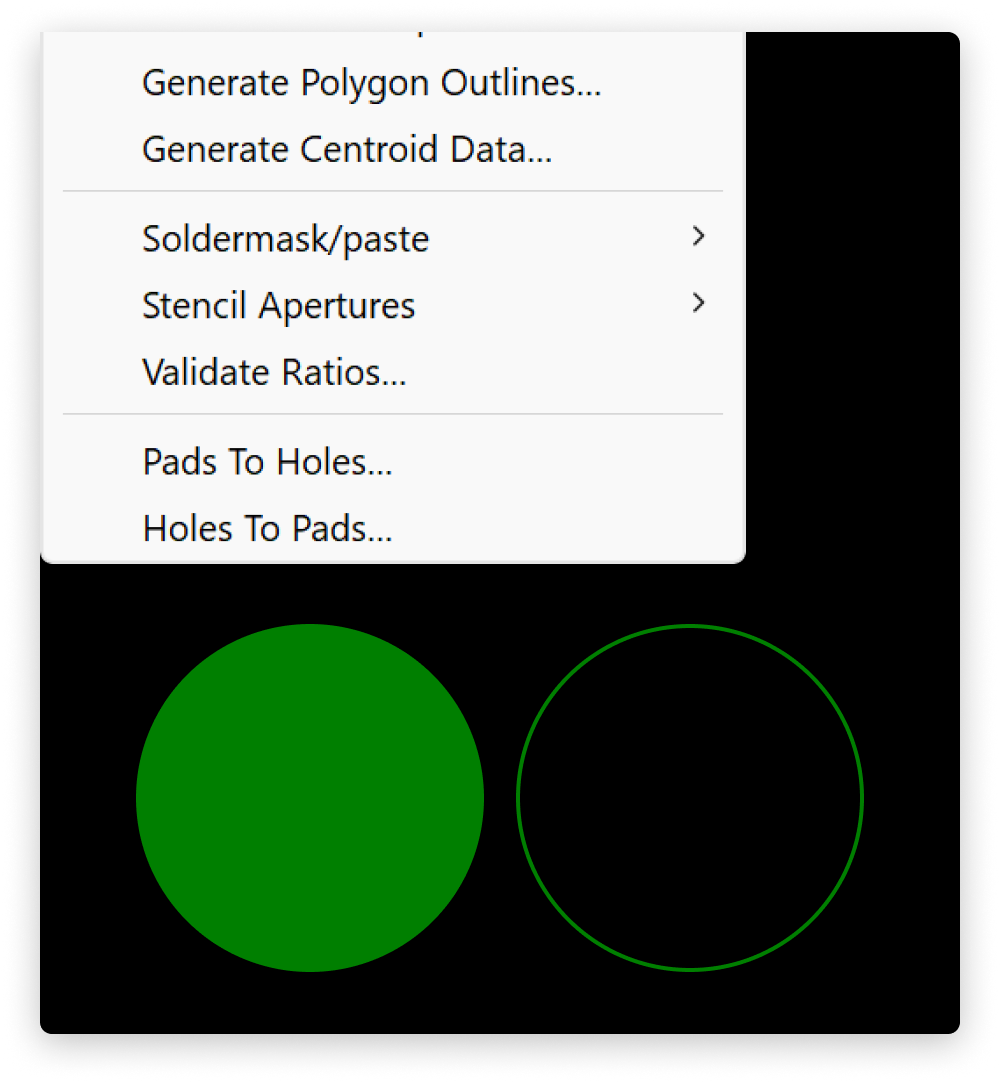
Convert pad layers into drill files and sort the drill data for clean, organized output
One of the most powerful tools will allow you to convert pad layers into drill files and sort the drill data for clean, organized output.
These features simplify manufacturing preparation by ensuring accurate hole definitions, proper drill grouping, and consistent formatting. With precise control over drill information, you can streamline CAM workflows and reduce errors before sending files to fabrication.
Compare the benefits of our PCB software and select the best for you |
Free$0user / yearLearn More → | For Business$45user / yearLearn More → | 🔥 Most popularEssentials$195user / yearLearn More → | Professional$995user / yearLearn More → |
|---|---|---|---|---|
| Import | ||||
| Import Gerber (Standard Gerber, Gerber 274X and Gerber X2, including DPF files and CAD/CAM aperture lists) | ||||
| Import ODB++ | ||||
| Import IPC 2581 | ||||
| Import NC Drill and Rout Files (Excellon, etc.) | ||||
| Import HPGL | ||||
| Import DXF | ||||
| Import IPC-356 Netlist | ||||
| Setup Templates for Easy Loading of Multiple Layers | ||||
| Visual Basic / .NET Scripting to Create Macros Automate Repetitive Tasks | ||||
| COM (Active X) Accessible | ||||
| Inspection and Validation | ||||
| PCB Navigator | ||||
| Standard DFM (Pre-loaded) | ||||
| Advanced DFM (Customizable) | ||||
| Measure Sizes and Distances | ||||
| Layer to Layer Comparison | ||||
| Calculate Copper Area | ||||
| Smart DFM with Custom Rule Checks | ||||
| Show All Elements that are Electrically Connected | ||||
| Netlist Extraction (Contour and Raster) | ||||
| Netlist Compare | ||||
| 3D-View Generator | ||||
| Edit and Modify | ||||
| Add and Remove Elements, Insert Text, and Chamfers | ||||
| Rotate, Mirror, Scale and Swell | ||||
| Panelize a Job or Several Jobs | ||||
| Convert Negative Layers to Positive | ||||
| Convert Drawn Pads to Flashed | ||||
| Sort Drill Holes to Optimize Path | ||||
| Generate Solder Paste Stencil Apertures | ||||
| Data Export / Data Sharing | ||||
| Quote and Order PCBs | ||||
| Save Jobs With All Layer Data in One File | ||||
| Export DXF | ||||
| Export ODB++ | ||||
| Export Gerber Files Incl. DPF | ||||
| Export NC Drill Files | ||||
| Generate NC Routing File (NC Drill / Excellon) | ||||
| Generate SMT Stencil file (Gerber) | ||||
Compare the benefits
of our PCB software and select the best for you


The Most Popular Gerber Editor in North America
Over the years, what has truly set Pentalogix apart is not just their technology, but their outstanding customer service. Their responsiveness, professionalism, and deep product knowledge have made every interaction easy and efficient.