ViewMate Essentials
Get your CAD data ready for PCB Fabrication and PCB Assembly
- CAM Editor for Gerber Files & Drill Data
- Smart DFM with Custom Rule Checks
- PCB Navigator with Views and Reports

ViewMate Essentials is a CAM (Computer-Aided Manufacturing)
software used by designers and engineers to get their
data ready for PCB fabrication and PCB assembly.

Gerber and Drill File Editor
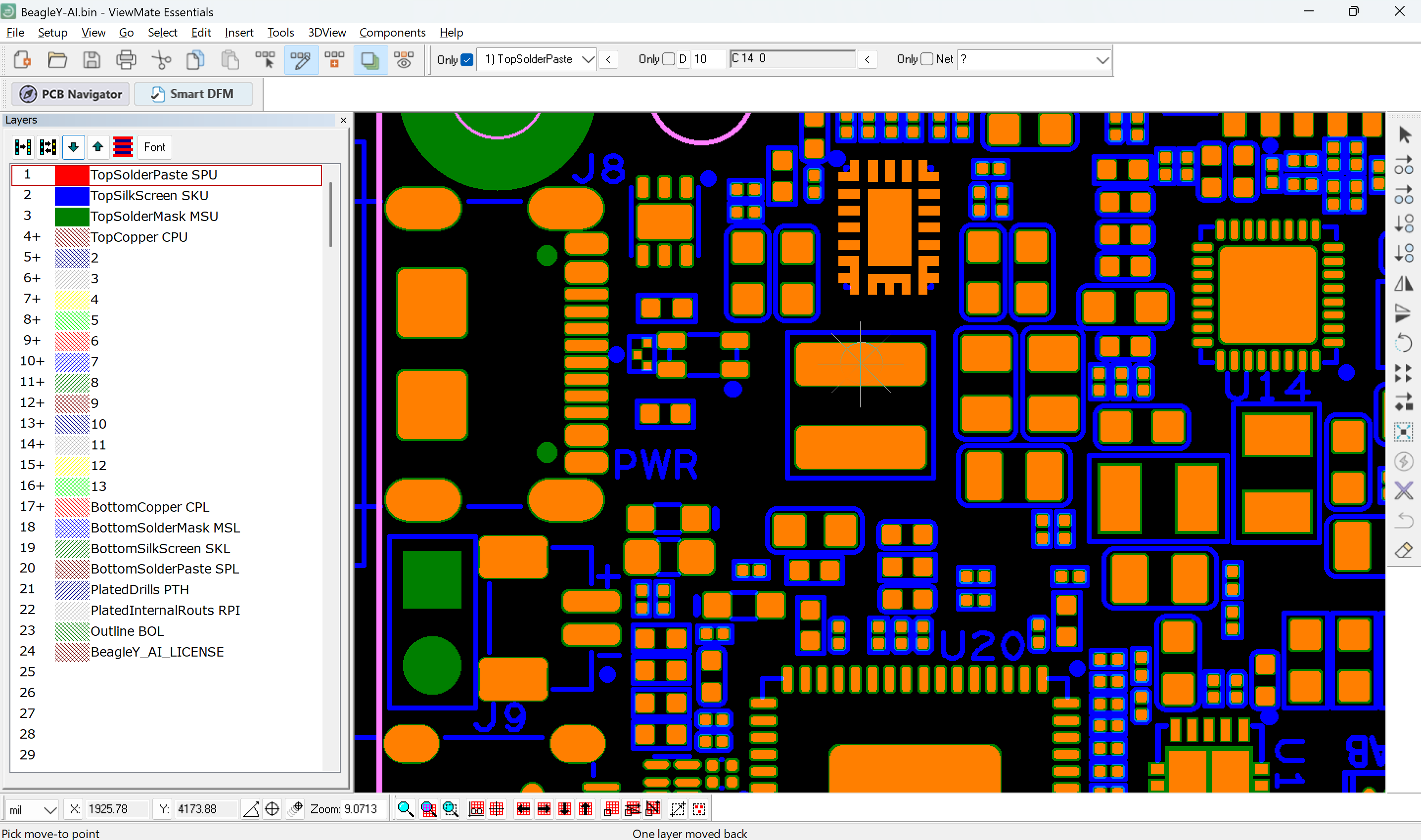
ViewMate Essentials includes our standard Gerber Editor
A specialized software tool for viewing, analyzing, and editing Gerber and drill data, enabling detailed editing of PCB layer features such as copper traces, solder mask openings, silkscreen markings, and drill parameters.
Capabilities
1. File Viewing and Verification
- High-resolution, layer-by-layer viewing of Gerber and drill data.
- Transparency and overlay modes for multi-layer inspection.
- Measurement tools for distances, trace widths, and hole diameters.
- Cross-probing between drill files and copper layers to verify alignment.
2. Editing and Correction
- Ability to edit pads, traces, polygons, and other features.
- Modify drill sizes, locations, and types (plated vs. non-plated).
- Adjust solder mask and silkscreen layers.
- Correct missing or misaligned apertures, shapes, or features.
3. Data Import and Export
- Support for multiple Gerber formats (RS-274X, Gerber X2) and Excell on drill formats.
- Export in formats compatible with PCB fabrication equipment.
4. Design Rule and Quality Checks
- Automated DRC (Design Rule Check) for clearances, trace widths, annular rings, etc.
- Drill-to-copper checks to prevent breakout issues.
- Identification of missing features.
5. Manufacturing Preparation Tools
- Addition of fiducials, tooling holes, and reference markers.
- Generation of solder paste layers or peel-off masks.
- Integration with CAM workflows for seamless handoff to fabrication.
6. Usability and Efficiency
- Intuitive interface with customizable layer colors and visibility.
- Zoom, pan, and search functions for quick navigation.
- Batch processing for multiple files or revisions.

PCB Layer Organizer
ViewMate Essentials includes our PCB Layer Organizer. Automatically identifies, renames, and arranges
PCB layers to match the correct order and naming conventions for manufacturing.

In PCB fabrication, design files can include dozens of layers such as copper, solder mask, silkscreen, drills, mechanical outlines, and more. Each must be clearly labeled and placed in the proper sequence to ensure the manufacturer can interpret them correctly.
The Layer Organizer streamlines this process by:
- Automatically identifying layer types from Gerber and drill data
- Allowing easy renaming to match a manufacturer's standards
- Reordering layers to match the physical PCB stackup
- Grouping related layers for easier management
By converting raw design exports into a precise, production-ready layer format, the Layer Organizer improves consistency, minimizes errors, and speeds up file preparation.
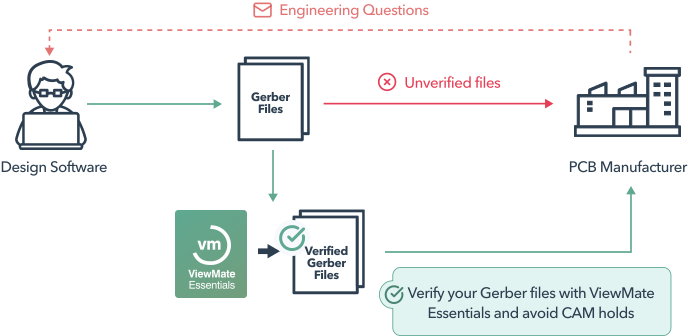
A PCB designer using third-party software like
ViewMate Essentials to verify their design files.

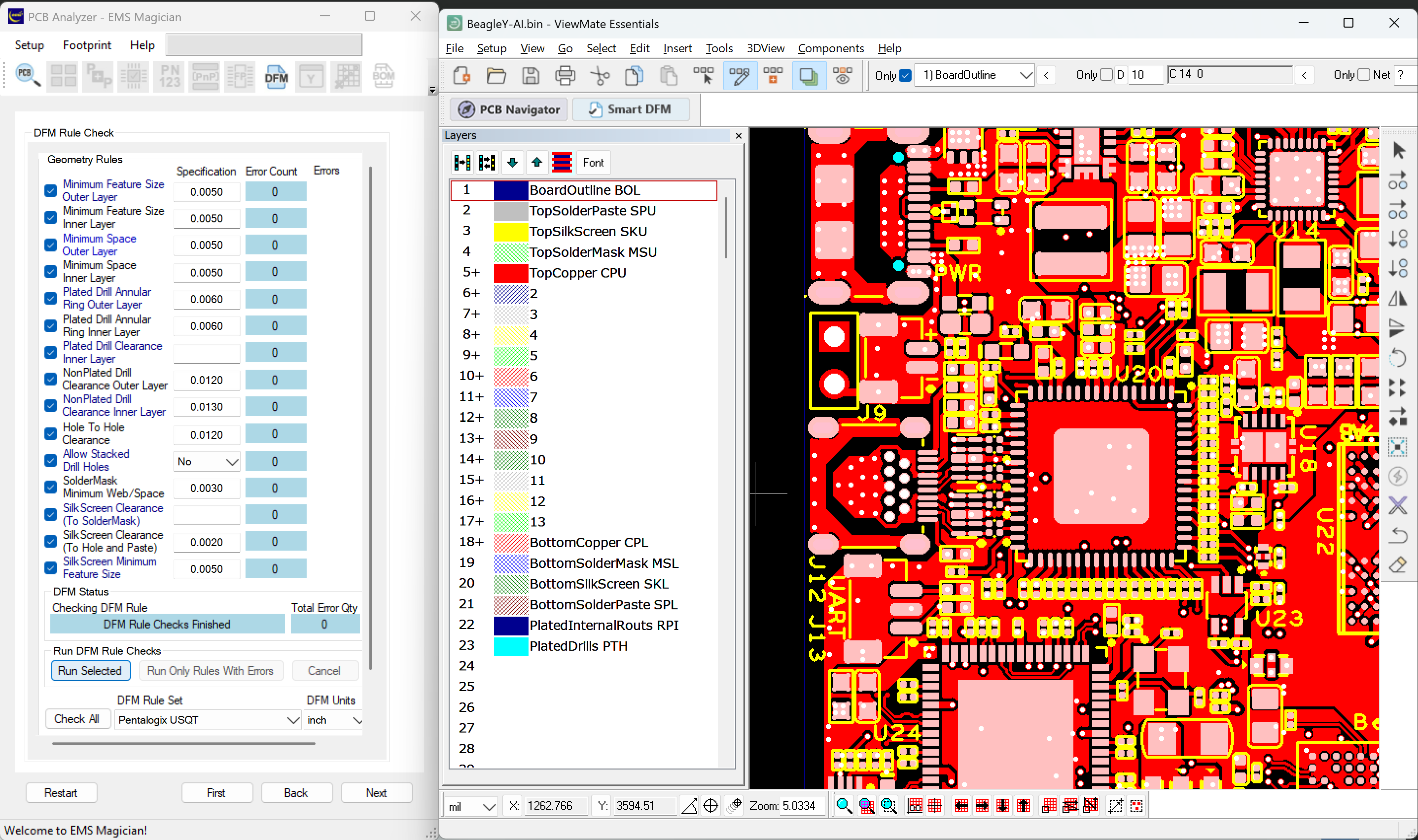

PCB designers and brokers should create a custom set of rule checks for each manufacturer they partner with to guarantee compatibility and reliable production.
A specialized Design for Manufacturing (DFM) software tool for the PCB industry that allows designers and engineers to define and implement their own rule checks. This ensures every design is fully optimized for specific requirements and manufacturing capabilities.
Smart DFM comes with a set of predefined rule checks, all of which can be easily customized.
- Validate minimum trace width and spacing.
- Verify minimum annular ring for copper pads and vias
- Our DFM files work with any factory
- Drill hole size and placement
- Solder mask clearance
- Copper-to-edge clearance
- Via and pad alignment
- Routing and panelization
- Smart DFM is a DFM tool that fixes malformed board outlines and removes elements outside the board.

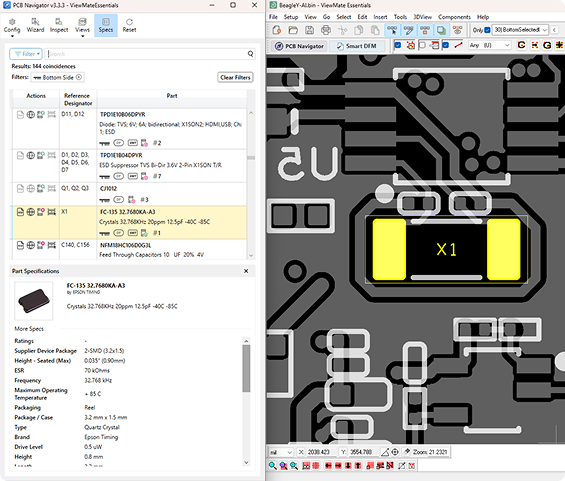
PCB Navigator
ViewMate Essentials includes our PCB Navigator, a software tool used to visually
search and inspect components using only fabrication files.
Essentially, it “adds intelligence” to static Gerber files by integrating them with Bill of Materials and XY Data, turning them into an interactive, searchable environment for inspection, troubleshooting, and documentation. This integration allows users, designers, manufacturers, assemblers, or brokers to:
- Identify and locate specific components directly on the PCB layout.
- Cross-reference part numbers, footprints, and placement coordinates.
- Verify design details before manufacturing and assembly.
Compare the benefits of our PCB software and select the best for you |
Free$0user / yearLearn More → | For Business$45user / yearLearn More → | 🔥 Most popularEssentials$195user / yearLearn More → | Professional$995user / yearLearn More → |
|---|---|---|---|---|
| Import | ||||
| Import Gerber (Standard Gerber, Gerber 274X and Gerber X2, including DPF files and CAD/CAM aperture lists) | ||||
| Import ODB++ | ||||
| Import IPC 2581 | ||||
| Import NC Drill and Rout Files (Excellon, etc.) | ||||
| Import HPGL | ||||
| Import DXF | ||||
| Import IPC-356 Netlist | ||||
| Setup Templates for Easy Loading of Multiple Layers | ||||
| Visual Basic / .NET Scripting to Create Macros Automate Repetitive Tasks | ||||
| COM (Active X) Accessible | ||||
| Inspection and Validation | ||||
| PCB Navigator | ||||
| Standard DFM (Pre-loaded) | ||||
| Advanced DFM (Customizable) | ||||
| Measure Sizes and Distances | ||||
| Layer to Layer Comparison | ||||
| Calculate Copper Area | ||||
| Smart DFM with Custom Rule Checks | ||||
| Show All Elements that are Electrically Connected | ||||
| Netlist Extraction (Contour and Raster) | ||||
| Netlist Compare | ||||
| 3D-View Generator | ||||
| Edit and Modify | ||||
| Add and Remove Elements, Insert Text, and Chamfers | ||||
| Rotate, Mirror, Scale and Swell | ||||
| Panelize a Job or Several Jobs | ||||
| Convert Negative Layers to Positive | ||||
| Convert Drawn Pads to Flashed | ||||
| Sort Drill Holes to Optimize Path | ||||
| Generate Solder Paste Stencil Apertures | ||||
| Data Export / Data Sharing | ||||
| Quote and Order PCBs | ||||
| Save Jobs With All Layer Data in One File | ||||
| Export DXF | ||||
| Export ODB++ | ||||
| Export Gerber Files Incl. DPF | ||||
| Export NC Drill Files | ||||
| Generate NC Routing File (NC Drill / Excellon) | ||||
| Generate SMT Stencil file (Gerber) | ||||
Compare the benefits
of our PCB software and select the best for you


The Most Popular Gerber Editor in North America
Over the years, what has truly set Pentalogix apart is not just their technology, but their outstanding customer service. Their responsiveness, professionalism, and deep product knowledge have made every interaction easy and efficient.